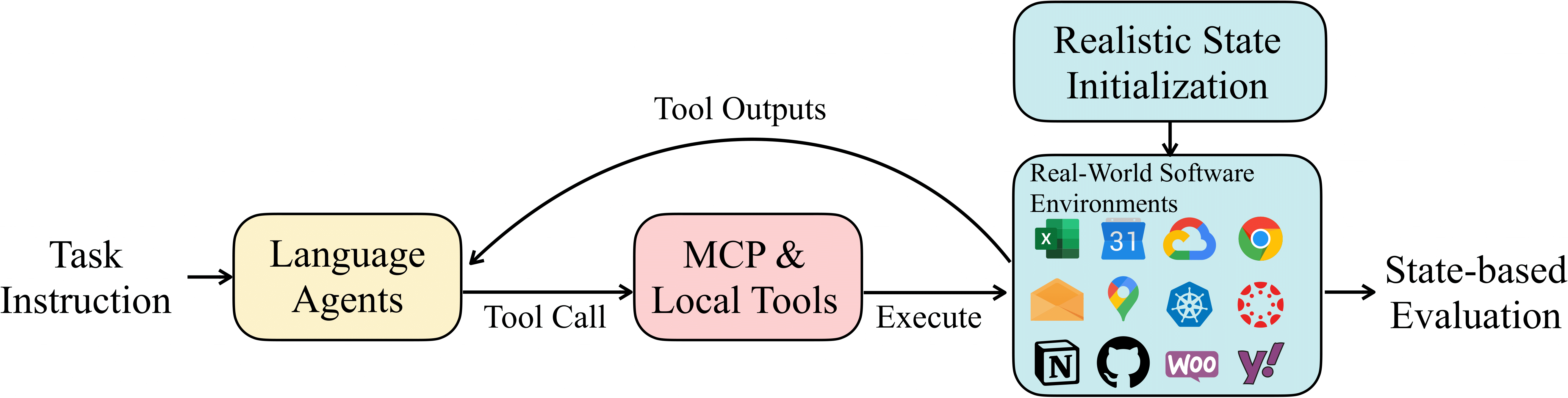
Agent Scaffold
Tool Error Handling
In vanilla OpenAI-Agent-SDK, when a model calls a non-existing tool or a tool returns an error, the agent loop breaks and exits immediately. We fundamentally change this behavior by monkey-patching the SDK’s tool execution layer (utils/openai_agents_monkey_patch/custom_run_impl.py) to catch all errors and return them as observations to the agent without breaking the loop. When a tool call fails, instead of crashing, the agent receives an error message like “Error running tool : ” as part of the conversation. This mimics realistic, noisy environments where services fail intermittently and the agent needs to recover by retrying with corrected arguments, switching tools, or adjusting its strategy.
Overlong Tool Response Handling
Some tool outputs can easily exhaust model context windows - massive HTML pages returned from web browsing, large file directory listings, or lengthy API responses containing thousands of records. We implement a two-stage approach inutils/aux_tools/overlong_tool_manager.py. First, tool outputs exceeding 100K characters are automatically truncated before entering the context, with a notice appended to the truncated content. Second, agents can access the full cached output through the handle_overlong_tool_outputs tool, which supports searching through the raw content by keyword or navigating page-by-page with a default page size of 10K characters. This is entirely prompt-driven - agents learn to use these tools when they see truncation notices, and no hard-coded logic determines when to paginate.
Context & History Management
Extended tasks accumulate massive conversation histories that exceed 32K-128K token limits. We implement a three-tier approach acrossutils/roles/context_managed_runner.py, utils/aux_tools/context_management_tools.py, and utils/aux_tools/history_tools.py. At the first tier, agents have explicit tools to manage their own context - manage_context lets them check current token counts and turn numbers, drop specific historical turns to reduce pressure, while history tools enable searching through all past turns (including dropped ones) by keyword or turn number and retrieving specific turn ranges. The framework saves all conversation to disk in JSONL format, making dropped turns still accessible. At the second tier, when context approaches model limits without agent intervention, automatic truncation kicks in as a safety net, intelligently removing older turns while preserving recent context and important tool outputs. At the third tier, when context overflows completely despite these measures, the framework performs a context reset by clearing all conversation except the last 10 turns, then reconstructing context with the original task, a 10-turn preview, and continuation instructions. This design is fundamentally prompt-centric - agents that effectively use context and history tools can work on tasks with 100+ turns, while agents that ignore these tools will hit limits faster.
Enhanced MCP Server
In addition to improvements to the framework, we also modify—and in some cases completely rewrote—certain MCP servers. Taking the Notion MCP Server as an example, we add new parameters to specify the resource paths that the tool is allowed to access. This ensures isolation of resource access between different tasks, thereby enabling concurrent evaluation of multiple tasks. More details can be found here.Parallel Execution at Scale
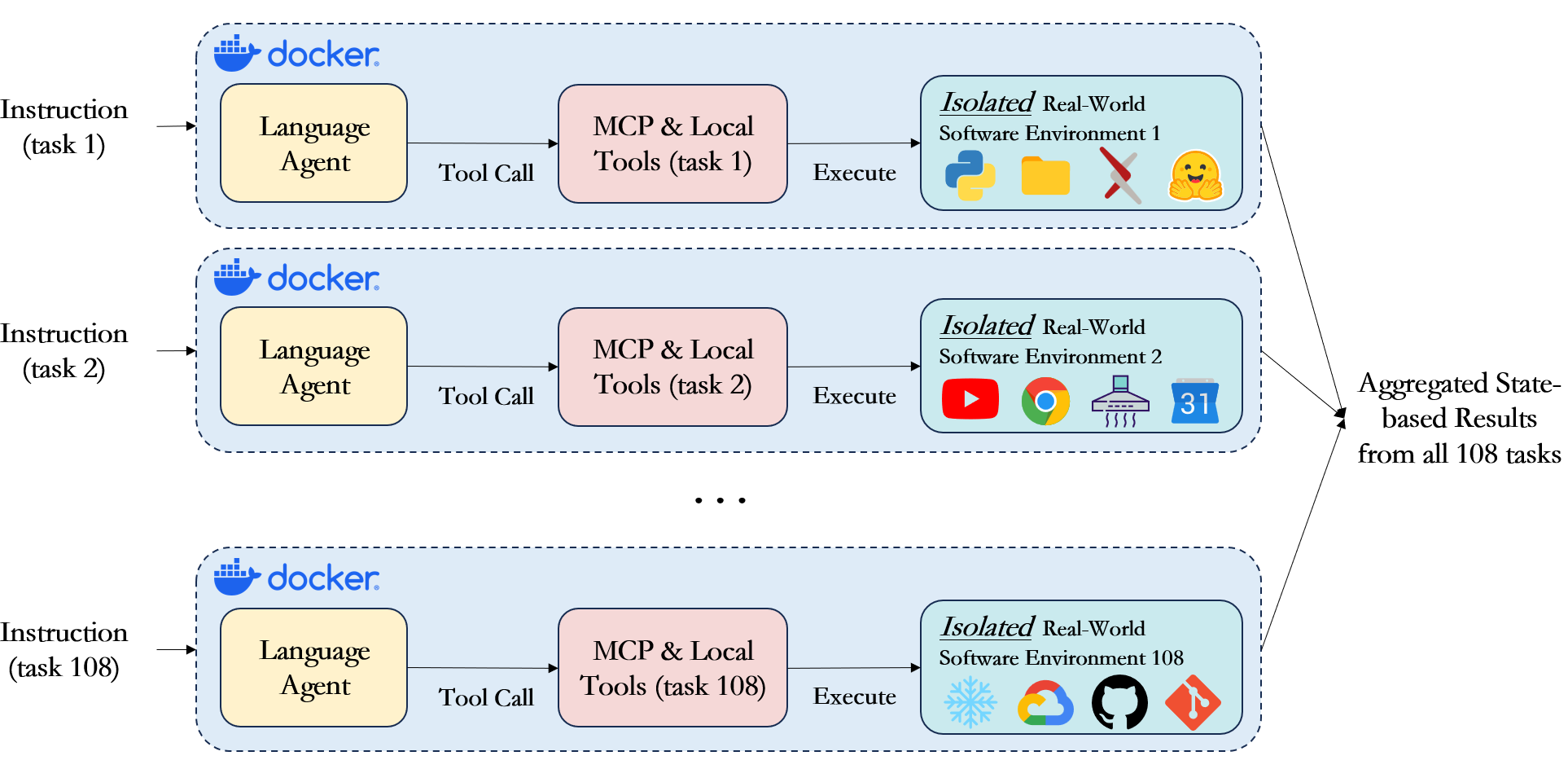
Sandboxed Execution
Each task runs in complete isolation within Docker or Podman containers, ensuring that no agent can interfere with another’s execution or access resources outside its designated workspace. The framework initializes each container with a predefined set of files, configurations, and environment variables specific to that task. When a task begins, the initial workspace is copied into the container, preprocessing scripts run to set up any necessary state like generating test data or configuring API endpoints, and then the agent receives full control over this environment. The agent can create, modify, and delete files, install software packages, run long-running processes, and make external API calls - all within the sandbox. This isolation is critical for reliable evaluation because it prevents state leakage between tasks and allows us to run the same task multiple times with identical starting conditions. After task completion, the entire workspace is preserved for evaluation, with ground truth validation scripts comparing the final state against expected outcomes.